

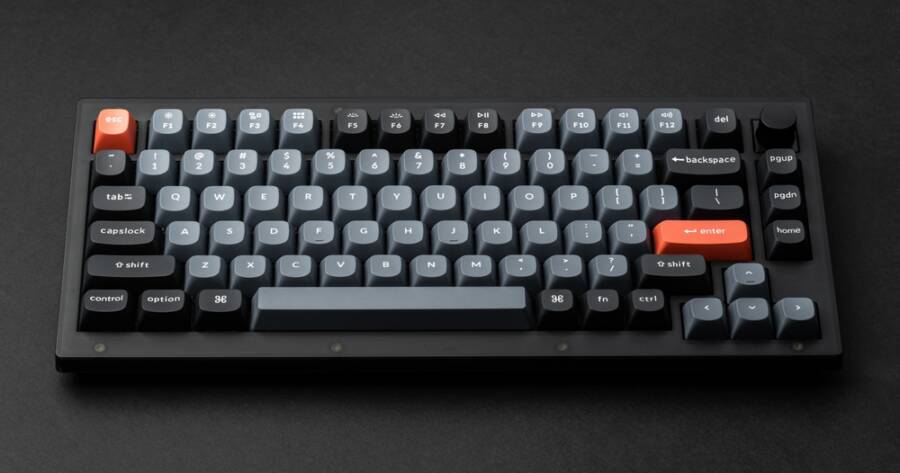
Mechanical keyboards have become a popular choice for people who want a better typing experience and more control over their setup. Unlike standard keyboards, they allow you to customize switches, keycaps, and layouts to match your preferences. Such customization makes them ideal for long typing sessions, gaming, or creative work. Choosing the right keyboard is the first step toward building a setup that feels comfortable, responsive, and tailored to your needs.
Keychron K2: A Flexible Starting Point
The Keychron K2 is one of the most popular entry-level mechanical keyboards for people building a custom setup. It uses a compact 75% layout, which keeps essential keys like arrows while saving desk space. It also supports both wireless and wired connections, making it easy to use across different devices.
Many versions of the K2 are hot-swappable, which means you can change the switches without soldering. This is important if you want to experiment with different typing feels. Whether you prefer smooth keystrokes or a more tactile response, this keyboard gives you room to customize without needing advanced skills.
Logitech G Pro X: Strong Performance With Custom Options
The Logitech G Pro X is designed for users who want a mix of performance and customization. It uses a tenkeyless layout, which removes the number pad and gives you more space for your mouse and desk setup.
One of its main features is the ability to swap switches. You can choose between clicky, tactile, or linear options depending on your preference. The keyboard also includes programmable keys and lighting options, allowing you to adjust both function and appearance. It works well for both work and gaming, making it a versatile option.
Ducky One 2 Mini: Compact And Reliable
The Ducky One 2 Mini is a well-known choice for people who prefer a smaller keyboard. Its 60% layout removes extra keys, creating a clean and simple design. This makes it ideal for minimalist setups or smaller desks.
Despite its size, it offers a solid typing experience and strong build quality. It also supports a wide range of custom keycaps, which makes it easy to change the look of your keyboard. Many users choose this model because it is simple, reliable, and easy to personalize without extra software.
Razer Huntsman Mini: Fast And Modern Design
The Razer Huntsman Mini is another compact option, but it stands out because of its optical switches. These switches use light instead of physical contact, which can make key presses feel faster and more responsive.
This keyboard is often used by gamers, but it also works well for general typing. It includes customizable lighting and a clean design that fits well into modern setups. If you want a keyboard that feels quick and responsive, this is a strong option to consider.
Glorious GMMK: Built For Full Customization
The Glorious GMMK (Glorious Modular Mechanical Keyboard) is designed specifically for customization. It is fully hot-swappable, which allows you to change switches easily without technical skills. This makes it one of the most flexible options for building a custom typing setup.
You can choose your own switches, keycaps, and layout, giving you full control over how the keyboard feels and looks. It is available in different sizes, so you can pick what fits your workspace. This keyboard is a good choice if you want to experiment and build something unique over time.
How To Choose The Right Keyboard For Your Setup
Choosing the right keyboard depends on how you plan to use it. If you want something simple and ready to go, options like the Keychron K2 or Ducky One 2 Mini are strong choices. If you prefer more control, a model like the Glorious GMMK gives you more flexibility.
You should also think about layout and switch type. Smaller layouts save space, while larger ones offer more keys. Switches affect how typing feels, so it is worth trying different types if possible. Finding the right combination can improve comfort and make typing more enjoyable.
Build A Setup That Fits You
Mechanical keyboards offer a level of customization that standard keyboards cannot match. Whether you choose a beginner-friendly option or a fully customizable model, the goal is to create a setup that feels right for you.
By focusing on layout, switch type, and build quality, you can find a keyboard that supports your daily work and personal style. A well-chosen mechanical keyboard is not just a tool—it becomes a part of your routine that improves comfort and performance over time.