

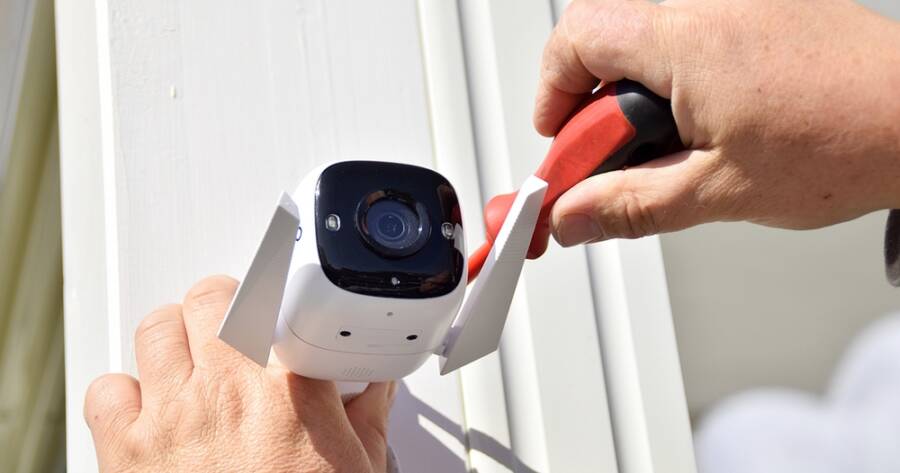
Home security is important, but many systems come with ongoing monthly fees that add up over time. For homeowners and renters in the United States, there are now reliable options that offer strong protection without requiring a subscription. With the right equipment and setup, you can monitor your home, receive alerts, and store footage without paying recurring costs. By choosing the right system and understanding how to install it, you can build a simple and effective security setup.
What to Look for in a No-Fee Security System
Not all security systems are designed the same way. When choosing a system without monthly fees, it is important to focus on key features. Look for systems that offer local storage, such as microSD cards or built-in storage hubs. This allows you to save video without paying for cloud services.
You should also look for motion detection, mobile app access, and real-time alerts. These features help you stay informed about what is happening at home. Ease of installation is another factor. Many modern systems are wireless and designed for simple setup, which makes them ideal for beginners.
Eufy Security Systems: Strong Features Without Subscriptions
Eufy is one of the most popular brands for no-fee home security. Many of its camera systems include local storage through a base station, which means you can record and review footage without a monthly plan.
Eufy cameras often include features like motion detection, night vision, and clear video quality. The system also allows you to access footage through a mobile app. This makes it easy to check on your home from anywhere. For users who want a simple and reliable setup, Eufy offers a strong balance of features and convenience.
Arlo Essential And Local Storage Options
Arlo offers local storage, but it depends on the setup. Some Arlo cameras can store footage locally when connected to a compatible base station or SmartHub with a USB device. This allows recording without using cloud storage.
However, many Arlo features are tied to subscription plans, including advanced alerts and easier video access. Local storage is available, but it is not always the default experience and may require extra setup. Arlo can work without monthly fees, but it is not as seamless as systems built around local storage.
Ring Alarm With Self-Monitoring Setup
Ring systems can be used without a subscription, but there are important limitations. Without a paid plan, users can receive motion alerts and access live video, but recordings are not saved.
Ring is primarily a cloud-based system, and video history requires a subscription. There is a feature called Ring Edge that allows local storage, but it requires specific hardware and a paid plan, so it does not qualify as a no-fee solution. Ring can work for basic monitoring without monthly costs, but it does not offer no-fee recording like some other brands.
Wyze Home Monitoring: Affordable and Simple
Wyze is another brand that focuses on simple and affordable security solutions. Its cameras and sensors are designed to be easy to install and use. Wyze devices often include local storage options, allowing you to avoid subscription fees.
The system includes features like motion alerts, live viewing, and basic automation. While it may not have as many advanced features as some higher-end systems, it works well for basic home monitoring. Wyze is a good option for users who want a straightforward setup without added complexity.
How to Set Up Your System Step by Step
Setting up a home security system without monthly fees is usually a simple process. Start by placing cameras at key entry points, such as front doors, back doors, and garages. Make sure they are positioned to cover the areas you want to monitor.
Next, install any sensors on doors and windows. These devices alert you when they are opened. Connect all components to the system’s mobile app, which allows you to manage settings and receive notifications.
Finally, test your system to make sure everything is working correctly. Check that alerts are sent to your phone and that video footage is being recorded. Taking time to test your setup ensures that your system is ready when you need it.
Tips for Getting the Most Out of Your System
To get the best results, keep your system updated and maintain your devices. Make sure cameras are charged or connected to power, and check storage regularly to ensure it is not full.
You can also adjust motion settings to reduce false alerts. For example, lowering sensitivity or setting activity zones can help focus on important areas. These small adjustments improve how your system works and make it more reliable.
Build Security Without Ongoing Costs
Setting up a home security system without monthly fees is both possible and practical. With options like Eufy, Arlo, Ring, and Wyze, you can create a system that protects your home while avoiding ongoing costs. By focusing on local storage, simple installation, and key features, you can build a setup that meets your needs.
The key is to choose a system that fits your home and use it consistently. With the right approach, you can enjoy peace of mind and reliable security without paying extra each month.