

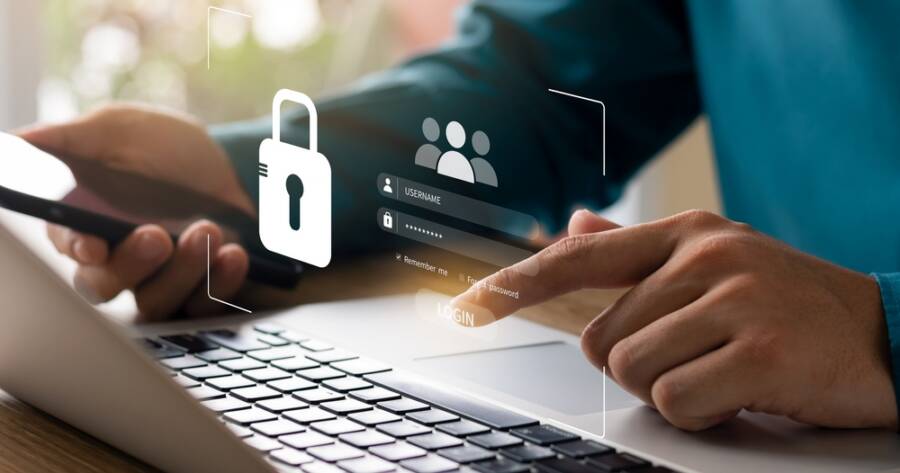
Daily life now relies heavily on the internet for communication, shopping, work, and entertainment. While technology brings convenience, it also introduces risks that can affect privacy and security. Cyber threats continue to evolve, making it important to stay informed and cautious. Building safe online habits can help protect your personal information and reduce potential risks. With a few simple strategies, it becomes easier to navigate the digital world with confidence and peace of mind.
Create Strong and Unique Passwords
One of the most important steps in online safety is using strong passwords. Weak or reused passwords make it easier for hackers to access your accounts. Creating unique passwords for each platform adds an extra layer of protection and reduces the risk of multiple accounts being compromised at once.
A strong password should include a mix of letters, numbers, and symbols. Using a password manager can help store and generate secure passwords without needing to remember each one. Over time, strengthening your password habits can significantly improve your overall online security.
Enable Two-Factor Authentication
Two-factor authentication adds an extra step to the login process, making it harder for unauthorized users to access your accounts. Even if someone obtains your password, they would still need a second form of verification, such as a code sent to your phone or email.
Many platforms now offer two-factor authentication as an option, and enabling it wherever possible can greatly increase security. While it may take a few extra seconds to log in, the added protection is well worth it. Over time, this simple step can prevent many common security breaches.
Be Cautious with Emails and Links
Phishing scams are one of the most common online threats. Fraudulent emails and messages often appear legitimate, encouraging users to click links or provide personal information. Being cautious with unfamiliar messages can help prevent falling victim to these scams.
Before clicking any link, take a moment to verify the source. Check for unusual email addresses, spelling errors, or urgent language that pressures you to act quickly. Developing a habit of questioning suspicious messages can protect you from sharing sensitive information with the wrong people.
Keep Your Devices and Software Updated
Regular updates play a key role in keeping your devices secure. Software updates often include patches that fix security vulnerabilities, making it harder for cyber threats to exploit weaknesses. Ignoring updates can leave your devices more exposed to potential risks.
Enabling automatic updates can help ensure your devices stay protected without requiring constant attention. Keeping apps, operating systems, and antivirus software up to date creates a stronger defense against online threats. Over time, this habit helps maintain a safer digital environment.
Protect Your Personal Information Online
Sharing too much personal information online can increase the risk of identity theft and other security issues. Social media platforms and websites often encourage users to share details, but it is important to be mindful of what is made public.
Limiting the amount of personal data you share and adjusting privacy settings can help reduce exposure. Avoid posting sensitive details such as your address, financial information, or travel plans. Over time, being more selective about what you share can help protect your identity and reduce potential risks.
Use Secure Networks and Avoid Public Wi-Fi Risks
Public Wi-Fi networks can be convenient, but they are often less secure than private connections. Hackers can sometimes intercept data on unsecured networks, putting your personal information at risk. Being cautious when using public Wi-Fi is an important part of staying safe online.
When possible, use a secure and private network for sensitive activities like banking or shopping. If you need to use public Wi-Fi, consider using a virtual private network (VPN) to add an extra layer of security. Over time, choosing safer connections can help protect your data from potential threats.
Common Online Scams to Watch For
Cybercriminals are constantly finding new ways to trick people into sharing personal information or sending money. Understanding how common scams work can help you recognize warning signs before becoming a victim.
- Phishing Emails: Fraudulent emails that appear to come from trusted companies and encourage you to click malicious links or provide sensitive information like passwords or banking details.
- Fake Online Stores: Websites that advertise unbelievable deals to collect payment information or personal data without ever delivering the promised products.
- Tech Support Scams: Fake pop-ups, phone calls, or emails claiming your computer has a virus and urging you to pay for unnecessary services or install malicious software.
- Delivery and Shipping Scams: Messages claiming there’s a problem with a package delivery that direct you to fake tracking websites designed to steal personal information.
- Romance Scams: Fraudsters who build online relationships over time before requesting money for fabricated emergencies or travel expenses.
Investment and Cryptocurrency Scams – Fake investment opportunities that promise guaranteed or unusually high returns while attempting to steal your money or financial information. - QR Code Scams: Fraudulent QR codes placed on signs, parking meters, or advertisements that redirect users to fake websites or phishing pages instead of legitimate destinations.
How to Tell if a Website Is Safe
Before entering personal information or making a purchase online, take a moment to evaluate whether a website appears trustworthy. One of the first things to check is whether the website uses HTTPS, which indicates the connection between your browser and the website is encrypted. While HTTPS alone doesn’t guarantee a site is legitimate, it is an important security feature that reputable websites typically use.
It’s also helpful to look beyond the web address. Check for spelling mistakes in the domain name, review the contact information, and look for a clear privacy policy or customer support page. If a website advertises prices that seem too good to be true or pressures you to act immediately, proceed with caution. Reading customer reviews from independent sources can also help verify whether a business is legitimate before sharing payment or personal information.
What to Do If One of Your Accounts Is Hacked
Discovering that one of your online accounts has been compromised can be stressful, but taking quick action can help limit the damage. Following a few important steps can help secure your information and prevent additional unauthorized access.
Step 1: Change Your Password Immediately
Update the password for the affected account as soon as possible. Choose a new password that is long, unique, and different from any passwords you’ve used before.
Step 2: Enable Two-Factor Authentication
If it isn’t already enabled, turn on two-factor authentication to add an additional layer of protection before anyone can log in again.
Step 3: Log Out of Other Devices
Many online accounts allow you to view active login sessions. Sign out of any unfamiliar devices or locations to remove unauthorized access.
Step 4: Review Your Account Activity
Look for unfamiliar purchases, messages, profile changes, or login attempts. Identifying suspicious activity early allows you to report problems more quickly.
Step 5: Notify the Company if Necessary
If you cannot regain access to your account or suspect fraud, contact the company’s customer support team immediately. They can often help secure or recover your account.
Step 6: Monitor Your Other Accounts
If you reused the same password elsewhere, update those accounts immediately. Continue monitoring your email, financial accounts, and credit reports for any signs of suspicious activity.
Helpful Tools That Can Improve Your Online Security
Good online habits are your first line of defense, but the right tools can provide additional protection against cyber threats. Many security tools work quietly in the background, helping safeguard your accounts and personal information while you browse the internet.
Some helpful tools to consider include:
- Password Managers: Store your passwords securely and generate strong, unique passwords for every account.
- Virtual Private Networks (VPNs): Encrypt your internet connection, especially when using public Wi-Fi networks.
- Authenticator Apps: Generate secure verification codes for two-factor authentication without relying solely on text messages.
- Antivirus and Anti-Malware Software: Detect and remove malicious software before it can damage your devices or steal information.
- Browser Security Extensions: Warn you about potentially dangerous websites, block malicious advertisements, and improve online privacy while browsing.
While no single tool can eliminate every online threat, combining several layers of protection with smart browsing habits creates a much stronger defense against cybercriminals.
Building Safer Habits for a More Secure Online Experience
Staying safe online is not about eliminating risk entirely, but about making smarter choices every day. Small actions, like updating passwords or being cautious with links, can have a significant impact on your overall security.
By developing consistent habits and staying aware of potential threats, you can navigate the digital world with greater confidence. Over time, these practices become second nature, helping you protect your information and enjoy the benefits of technology without unnecessary worry.